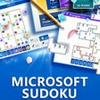
Experience a modern twist on sudoku with customizable tiles and vibrant graphics
Experience a modern twist on sudoku with customizable tiles and vibrant graphics
Pros
- Clean interface with customizable tile options
- Helpful features and tutorials for beginners
- Daily challenges and multiple difficulty levels
- Cloud saves and leaderboard integration
Cons
- Ads in the free version can be distracting
- Lacks advanced puzzle variants or larger grid options
- Exclusive to Windows platform
Classic puzzle fun with fresh visuals, daily challenges, and helpful features.
Modern Design Meets Classic Gameplay
Microsoft Sudoku brings the timeless logic puzzle to Windows with modern enhancements. The interface is visually refined, offering a crisp grid design and a selection of tile styles including classic numbers, bold colors, letters, and symbols. This flexibility caters to users who wish to tailor their gaming experience according to preference, making the game accessible and engaging for a wide range of players.
User-Friendly Features
The game includes helpful options such as hints, error checking, and notes, making it suitable for beginners and experienced Sudoku enthusiasts alike. Newcomers can benefit from interactive tutorials that explain game mechanics clearly, while advanced players have the option to disable assistance for greater challenge. In-game animations and celebratory graphics add a lively touch, providing positive feedback and a sense of accomplishment upon completing puzzles.
Game Modes and Challenges
Microsoft Sudoku offers multiple difficulty levels, ensuring there is a puzzle suited for every skill set. Beyond standard puzzles, daily challenges add variety and encourage regular play by introducing variants and unique objectives. Progress is tracked automatically, and statistics give insight into performance trends over time.
Performance and Integration
Optimized for Windows, the game launches quickly and runs smoothly across a variety of hardware configurations. Integration with a Microsoft account enables cloud saves, letting players sync progress between devices and compete for leaderboard rankings. The interface is designed for both mouse and touch controls, making it accessible on desktops, laptops, and tablets.
Areas for Improvement
While the game offers a strong Sudoku experience, some users may find the inclusion of ads in the free version intrusive. The core gameplay focuses on traditional Sudoku, with limited customization for those seeking unconventional rules or larger grids.
Pros
- Clean interface with customizable tile options
- Helpful features and tutorials for beginners
- Daily challenges and multiple difficulty levels
- Cloud saves and leaderboard integration
Cons
- Ads in the free version can be distracting
- Lacks advanced puzzle variants or larger grid options
- Exclusive to Windows platform